How to check the trajectory in 3D
This guide shows you how to see the probe trajectory and its channels in a 3D brain, for example to check that a traced track is plausible.
Steps
Open
Plugins → 3D features.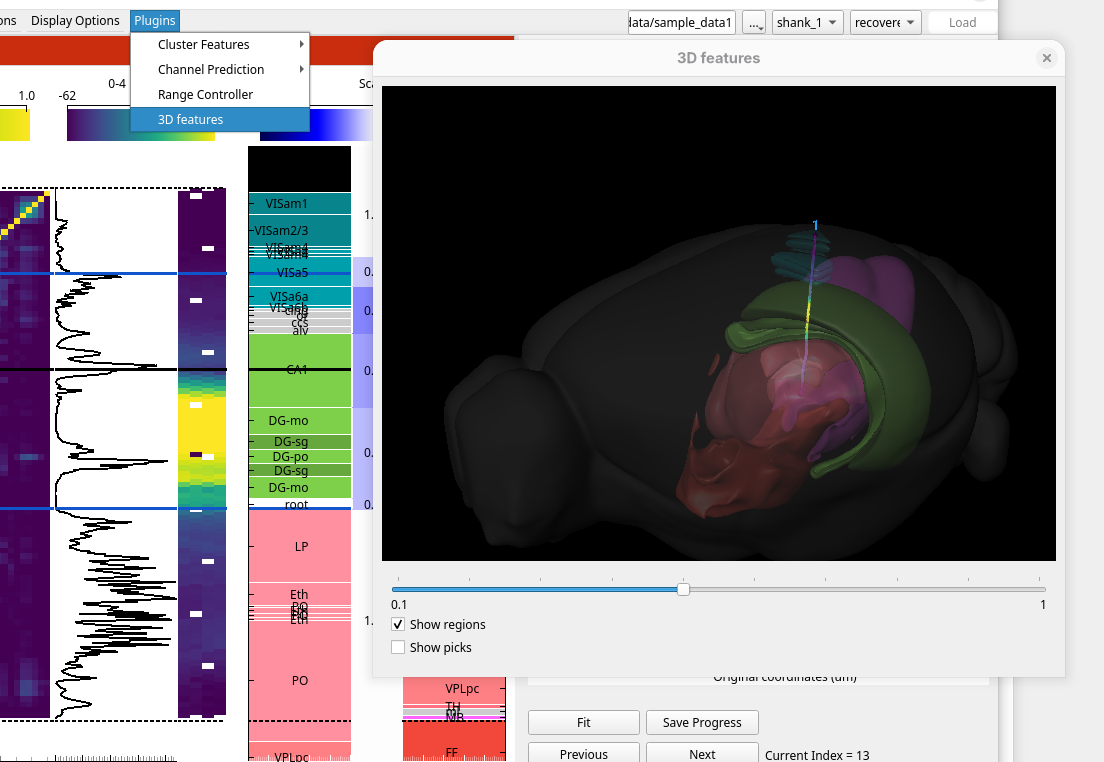
The channels along the probe are coloured by the plot in the Probe plots panel. Change that plot in the main window and the 3D view follows.
Show a cluster plot in the image panel to see the clusters at their locations, and set their size with the marker size slider.
Use Show regions to show the brain regions the probe passes through, and Show picks to show the traced points.