How to look at a single cluster
This guide shows you how to check the waveform and firing of one unit, for example to judge whether a unit at a candidate landmark is real.
Steps
Show an image plot of cluster data, such as a cluster scatter plot (Alt+1 to cycle).
Click a cluster. A window opens with its autocorrelogram and template waveform.
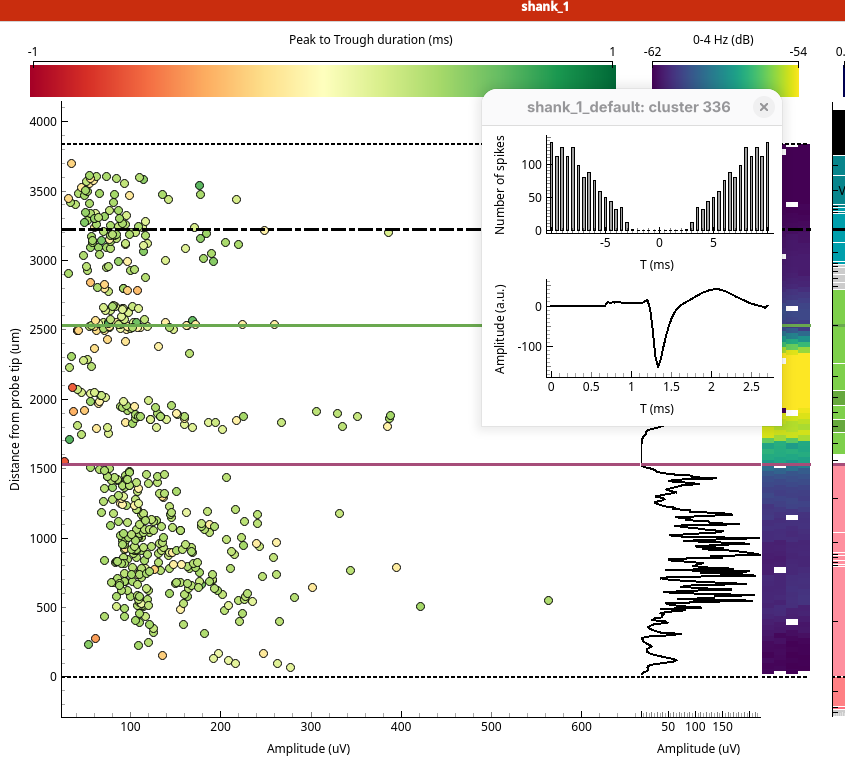
Click more clusters to open more windows.
Press M to minimise or show all the cluster windows, and Alt+X to close them.