How to show only well-isolated units
This guide shows you how to restrict the spike sorting plots to good units, so that landmarks are not hidden by noise or multi-unit activity.
Prerequisites
A
clusters.metricsfile in the spike sorting folder, with aks2_labelcolumn (for the kilosort filters) or alabelcolumn (for the IBL filter).
Steps
Open the
Filter Plotsmenu.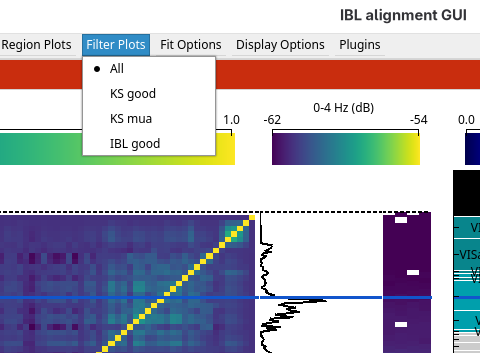
Choose a filter:
Filter
Units shown
Needs
AllEvery unit
KS goodUnits kilosort labelled good
ks2_labelKS muaUnits kilosort labelled multi-unit
ks2_labelIBL goodUnits passing the IBL quality metrics
label
If the column a filter needs is missing, a warning is logged and every unit is shown.