ibleatools
Electrophysiology features and brain-region inference for Neuropixels recordings
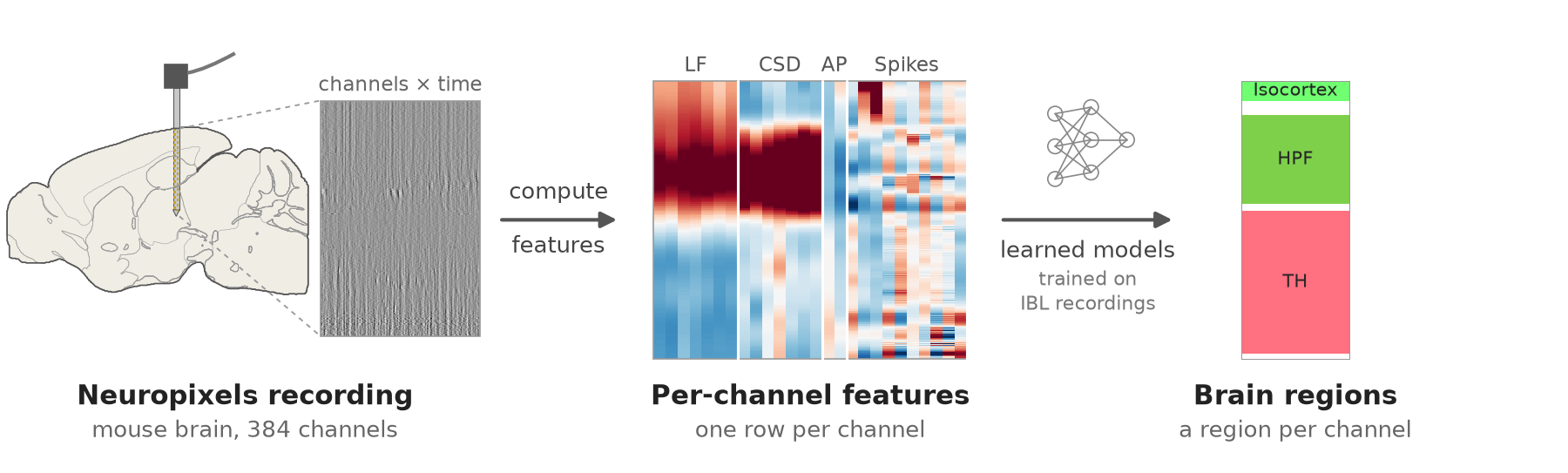
ibleatools turns a raw Neuropixels recording into a table of electrophysiological features — one row per recording channel — and runs the published IBL Ephys Atlas models over it to infer, for example, which brain region each channel sits in.
What can I answer with it?
Which brain regions is my probe in?
From your recording to a region per channel, step by step.
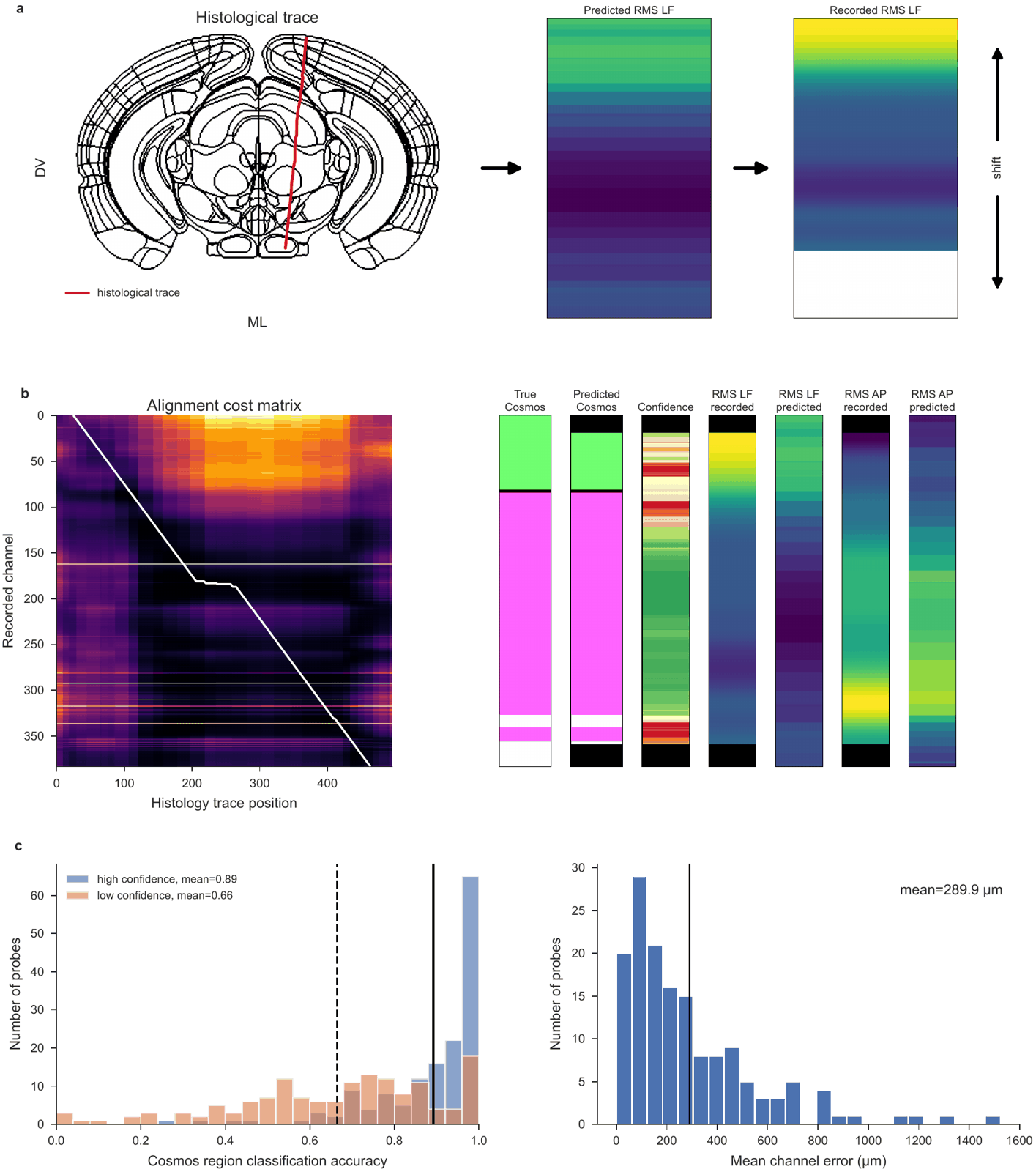
Does my histology agree with the electrophysiology?
Place the channels on your traced track, in code or in the alignment GUI.
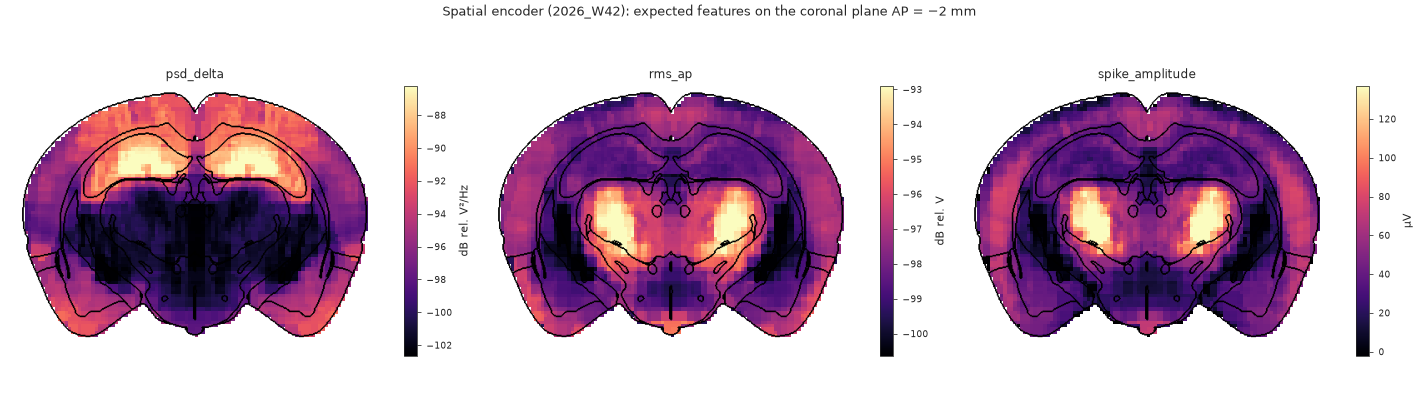
What should a channel record at a given position?
The spatial encoder’s expected features, anywhere in the brain. Maps.
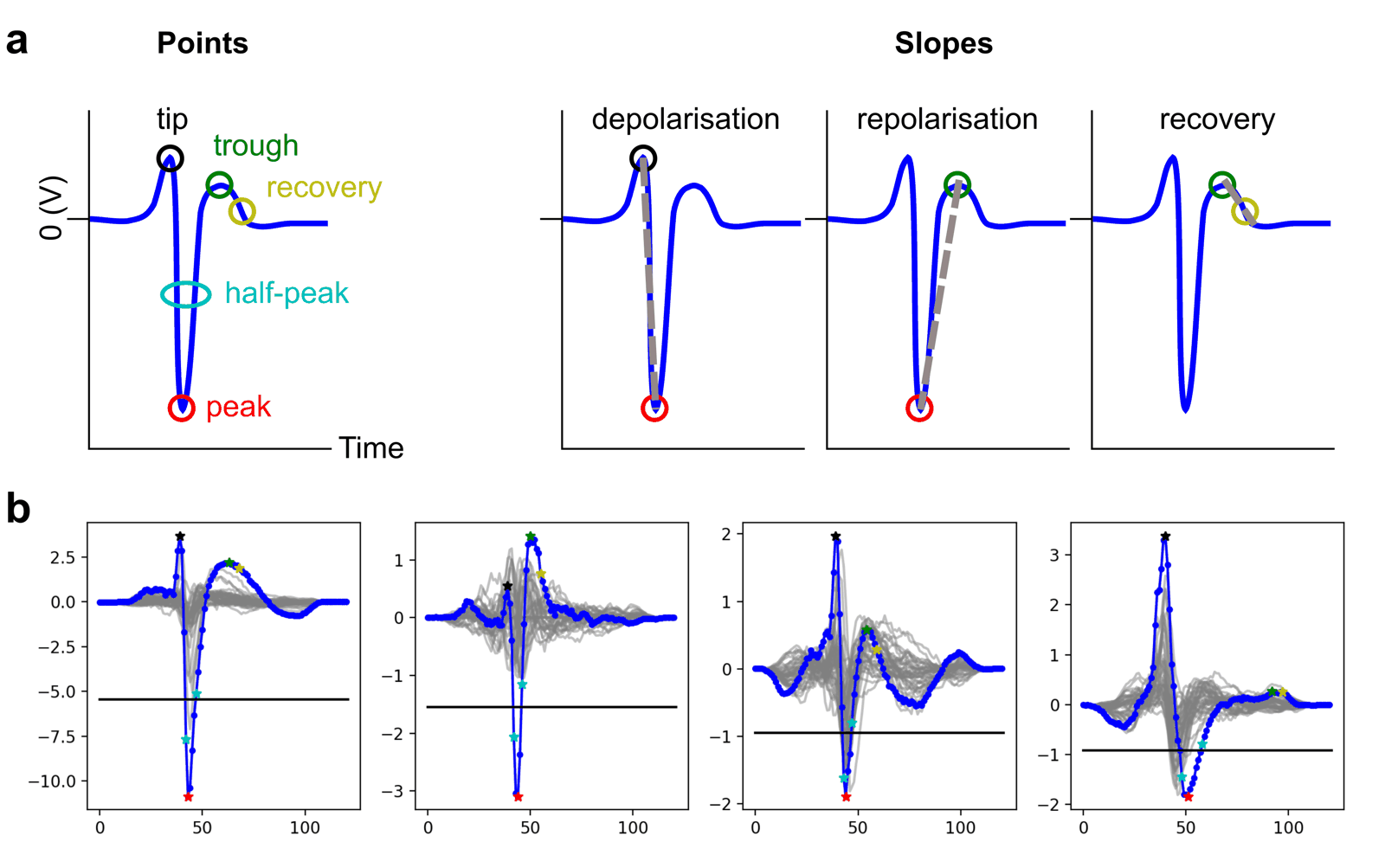
Which units and cell types should I expect there?
The unit encoder’s phenotypes and cell-type composition at a position.
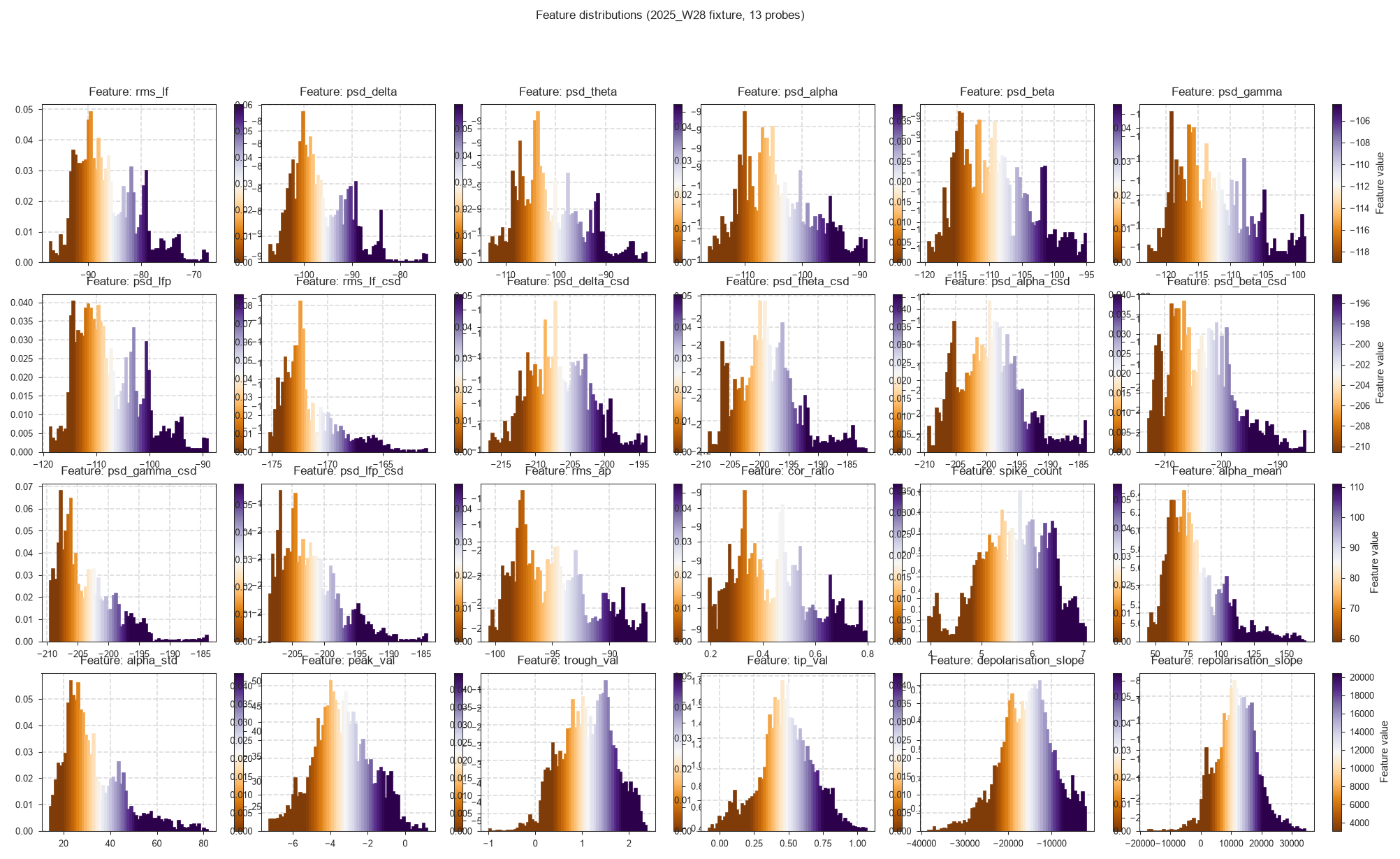
How does my recording compare with the IBL brain-wide data?
Your features against the published ones. Load them.
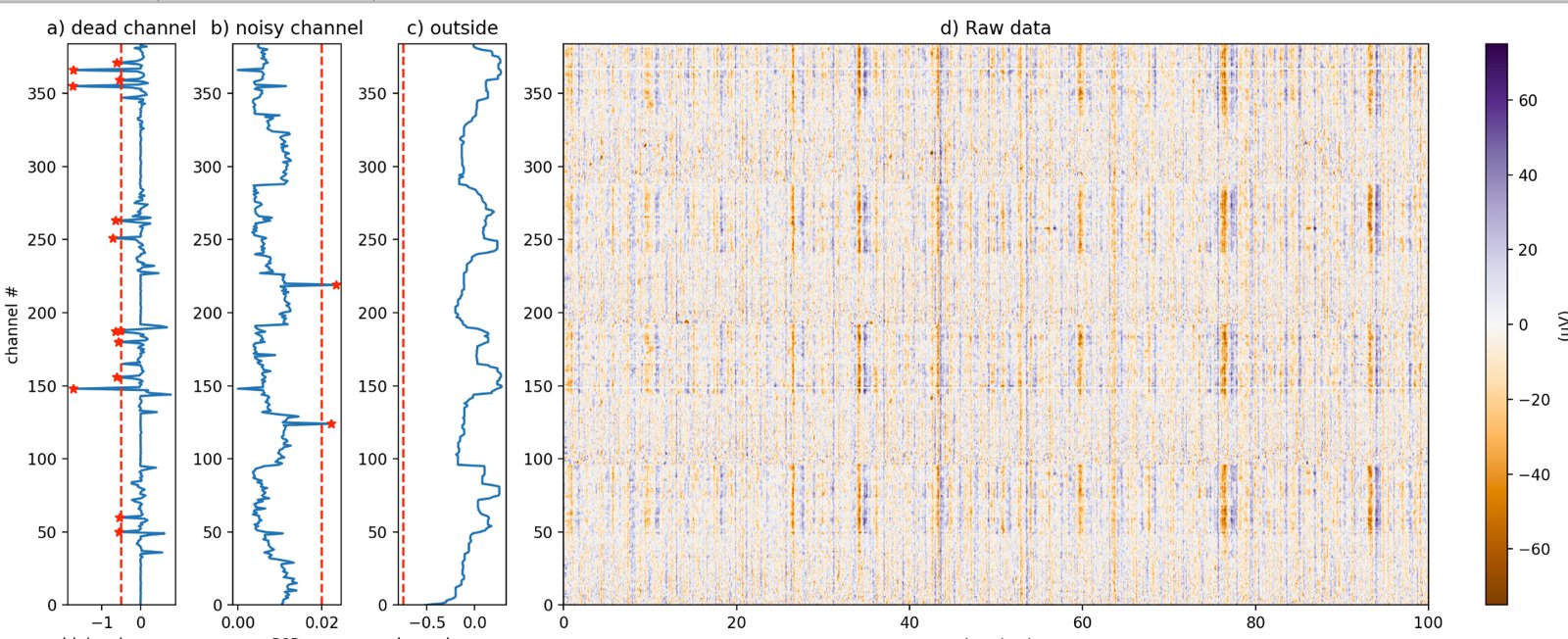
Is my recording healthy?
Destriped voltage, bad channels and where the probe enters the brain.
Two things you can do with it, independently:
- Compute features from your own recording — local SpikeGLX files, NWB (including streamed DANDI assets), SpikeInterface Zarr stores, lfpack LFP archives, or an LF array already in memory.
- Run a published model downloaded from the Hugging Face Hub. The model repositories are public.
This package is imported as ephysatlas. It is not the same as the ephys_atlas package (with an underscore) from the paper-ephys-atlas repository.
Install
ibleatools requires Python 3.12 or newer.
git clone https://github.com/int-brain-lab/ibleatools.git
cd ibleatools
pip install -e .
That is the lite install, and it is the default. It covers model download and inference, LF / CSD / AP feature computation, aggregation and denoising, and data download. It does not include spike/waveform feature computation, which needs DARTsort:
pip install -e ".[full]"See lite vs full for which one you need.
Quick start
Predict brain regions from a table of features, using the published whole-probe decoder (ProbeTransformer):
import pandas as pd
from ephysatlas import load_pretrained

# Public Hugging Face repo — no account or token needed. Pin the vintage.
model = load_pretrained(
    "int-brain-lab/ea-decoder-channel-transformer", revision="2026_W42"
)

# Check that this install reproduces the model's shipped output before trusting it
model.selftest()

# The model ships a small example, so this runs with no data of your own
sample = model.path_model / "example" / "features_sample.parquet"
out = model.predict(pd.read_parquet(sample))

print(out[["predicted_acronym", "prediction_probability", "seed_agreement"]].head())
Compute features from a local recording of your own, here SpikeGLX AP/LF files:
from ephysatlas.feature_calculators import SpikeGLXFileFeatureCalculator

calc = SpikeGLXFileFeatureCalculator(
    ap_file="/data/probe00.ap.cbin", lf_file="/data/probe00.lf.cbin"
)
# Features on 5 snippets spread over the recording, aggregated per channel and denoised,
# as the published models expect. The spike features need the [full] install.
df = calc.compute_denoised_features(n_snippets=5, duration_ap=5.0, duration_lf=5.0)
print(df.index.names)   # ['pid', 'channel']
There are more ways to load a recording: NWB files (local, streamed or on DANDI), SpikeInterface Zarr stores and lfpack archives. See the how-to guides for NWB, Zarr and lfpack.
Full walkthrough in the tutorial.
Published models
| Hugging Face repo | Family | What it predicts | Vintage |
|---|---|---|---|
int-brain-lab/ea-decoder-channel-xgboost |
Region decoder | Brain region per channel, from features | 2026_W42 |
int-brain-lab/ea-decoder-channel-transformer |
Whole-probe region decoder | Brain region per channel, from a whole probe’s features | 2026_W42 |
int-brain-lab/ea-encoder-channel |
Spatial encoder | Features per channel, from position | 2026_W45 |
int-brain-lab/ea-encoder-unit |
Unit encoder | Unit phenotypes and cell-type composition, from position | 2026_W45 |
All four load through the same call, load_pretrained. The encoders also drive probe alignment — ephysatlas.alignment places a probe’s channels in the brain, with or without histology.
Explore the atlas in your browser
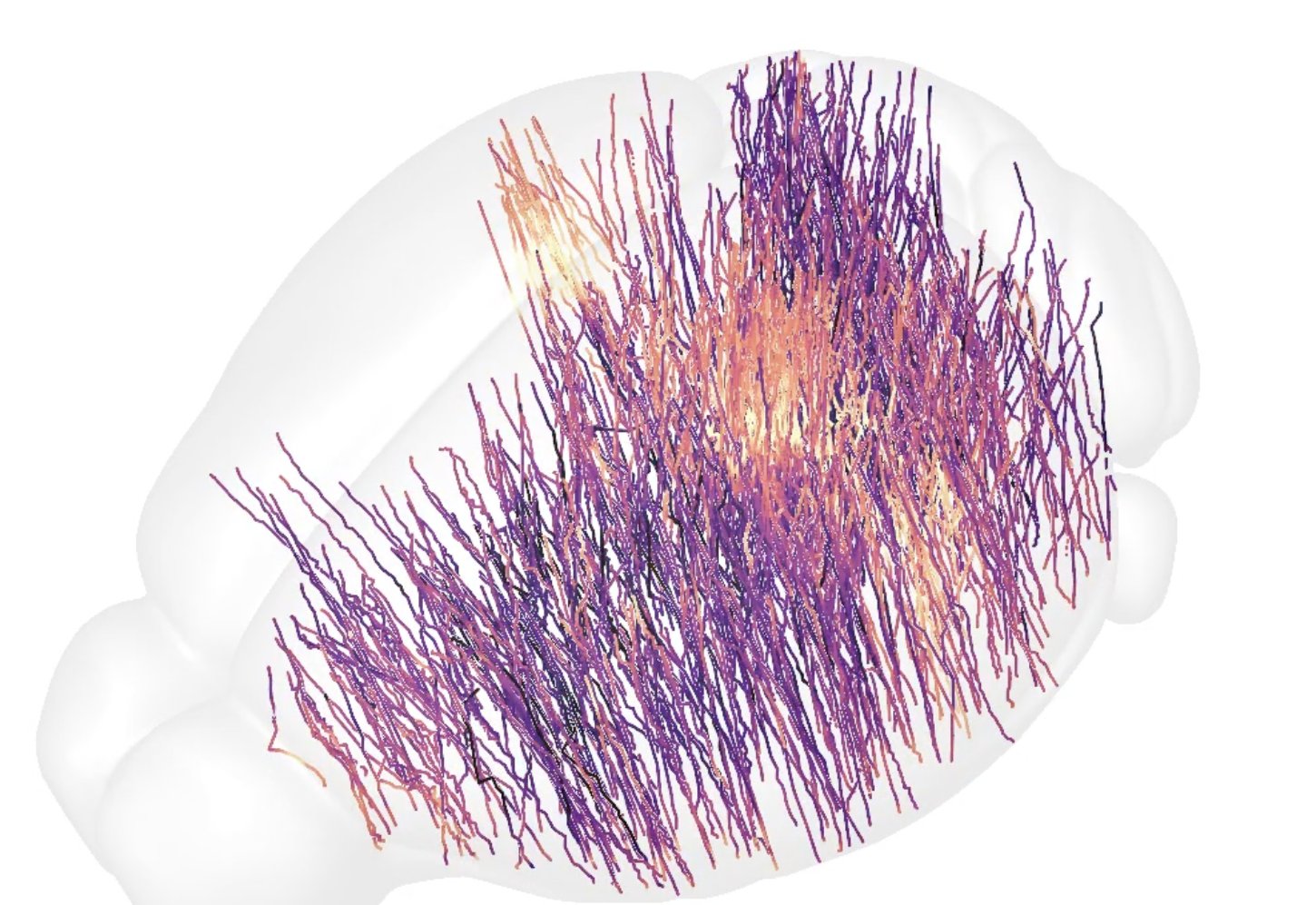
ephys-atlas.iblcore.org is a browser viewer for the IBL Ephys Atlas and the brain-wide maps around it: the recorded features these models are trained on, the predicted encoding volumes, gene expression atlases, the lipidome and Brain-Wide Map task responses. All are registered to the Allen atlas, so you can compare them slice by slice. It can also load a compatible dataset of your own, which stays in your browser.
Documentation
| Page | Content |
|---|---|
| Tutorials | |
| Your first brain-region predictions | Install, download a model and predict brain regions on its bundled example — start here |
| Which brain regions is my probe in? | The whole workflow, from your recording to an aligned probe |
| How-to: compute features on your data | |
| SpikeGLX files | Compute features from local AP/LF .bin / .cbin files |
| NWB | Compute features from a local, streamed or DANDI-hosted NWB file |
| Zarr | Compute features from a SpikeInterface-native Zarr store |
| Tune the computation | Single snippets, snippet windows, per-feature parameters, inspecting destriped data |
| Aggregate and denoise | Turn per-snippet features into the table a model expects |
| How-to: run published models | |
| Download a model | load_pretrained, pinning a vintage, and the self-test |
| Predict regions | Run the region decoders and read their output |
| Predict features from position | Run the spatial encoder — position in, features out |
| Predict unit phenotypes | Run the unit encoder — position in, unit phenotypes and cell types out |
| How-to: load IBL atlas data (needs an IBL account) | |
| Channel features | Download the published IBL channel aggregates |
| Cells features | The per-unit aggregates: cell tables, autocorrelograms, waveforms, stPC, stLFP |
| Compressed LFP | The whole-recording LFP of every insertion, from lfpack archives |
| Encoding volumes | Features on a whole-brain voxel grid of the Allen CCF |
| Leave out flagged insertions | The automatic QC labels of every insertion, and the exclude_pids of the loaders |
| Visualise | |
| Gallery | Every figure of the site, with the page that draws it |
| Features along the probe | How features vary with depth, beside the brain regions |
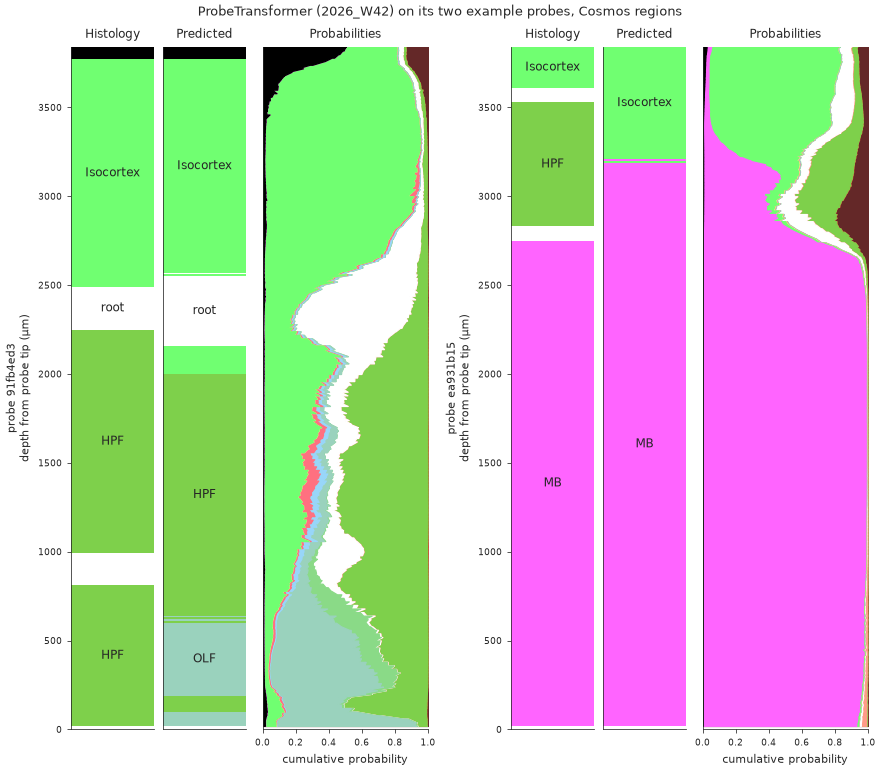
| Region predictions | Predicted regions and their probabilities along the probe |
| Raw and destriped voltage | The voltage behind the features, and the bad channels |
| Atlas maps | Features across the brain, on atlas slices |
| Reference | |
| API | Full API reference, generated from the docstrings |
| Feature list | Every feature column, its band and its units |
| S3 layout | Where the IBL aggregates live, and how they are versioned |
| Model manifest | The publication contract every model ships |
| Explanation | |
| Core concepts | Channels vs cells, vintages, projects, denoising, region maps |
| Feature pipeline | What happens between raw voltage and a feature table |
| Model families | Four model families, one load path |
| Lite vs full | Which install you need, and why the split exists |
The IBL ecosystem
ibleatools builds on, and feeds into, other International Brain Laboratory tools:
| tool | its role around ibleatools |
|---|---|
| ONE | Data access: the public IBL recordings, and the atlas aggregates with an IBL account |
| iblatlas (examples) | The Allen atlas in IBL coordinates: brain regions, the Beryl and Cosmos mappings, slice plots |
| ibl-neuropixel | ibldsp destriping and bad-channel detection, the spikeglx reader, probe geometry |
| IBL alignment GUI | Aligning a probe to its histology; its Channel Prediction plugin runs these models |
| IBL Ephys Atlas viewer | The atlas in the browser |
| lfpack | Compressed LFP of the IBL recordings, readable by an ibleatools calculator |
| DARTsort | Spike detection behind the waveform features ([full] install) |
| IBL documentation | The public IBL data, how to load it, and the atlas notebooks |
Getting help
Open an issue on GitHub. Contributions are welcome — see CONTRIBUTING.md.